Open source · self-hosted · iPhone app

Your own notebook, that reads.

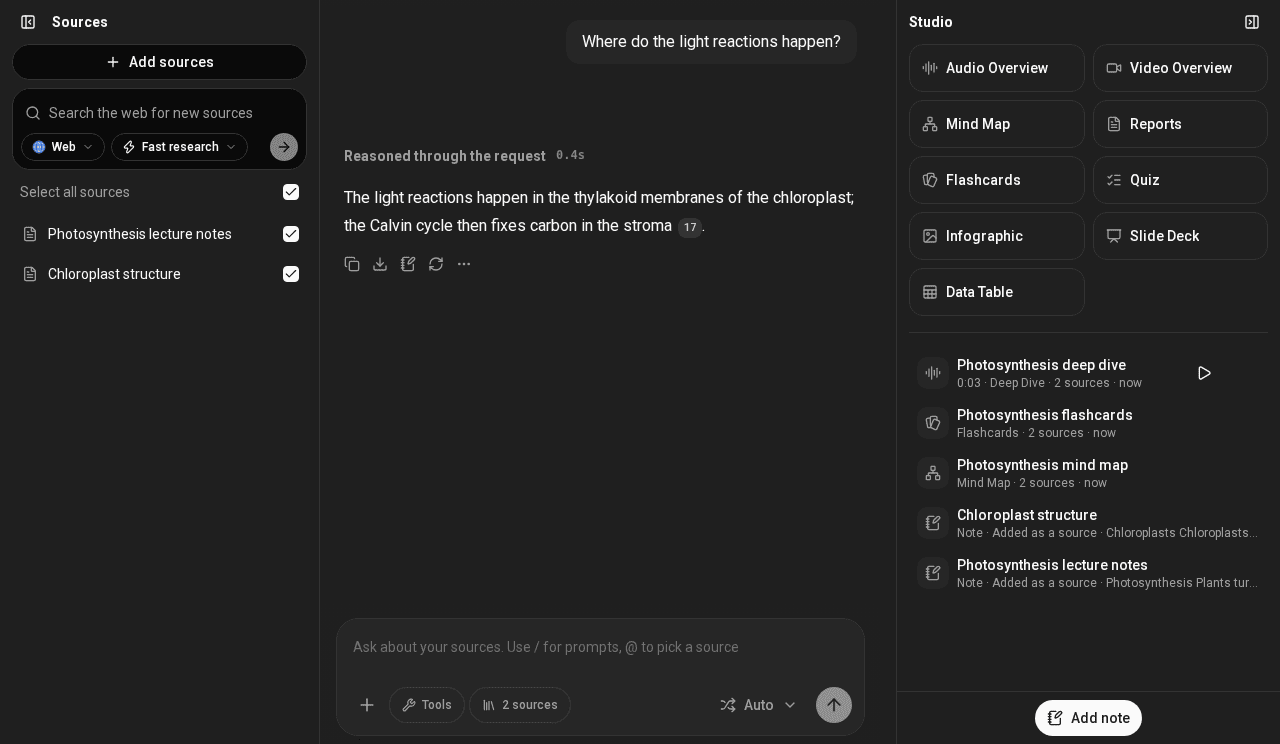
Soloclef Notes is a NotebookLM-style workspace that runs on your server. Ask your documents anything, get answers that point to the exact passage, and turn them into podcasts, videos, mind maps and quizzes.

Free. No account with us, no trial, nothing to buy.

notes.your-server.org
A Soloclef notebook: sources on the left, the chat in the middle and Studio on the right
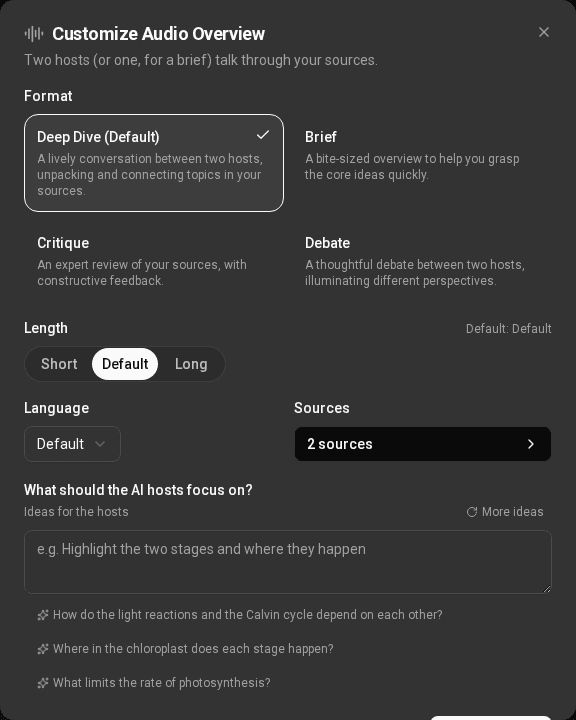
An audio overview playing
What it does

Everything you read,
in one place that answers.

Drop in lecture notes, papers, PDFs and web pages. Soloclef reads them on your server and works only from what you gave it.

Notebooks of your sources

PDFs, Office files, images, links and your own notes. PDFs are read on the server; nothing leaves it unless you choose.

Answers with citations

Every answer links to the passage it came from. Tick sources on and off to choose what the chat reads.

Audio and video overviews

A two-voice deep dive or a narrated slide video from your sources, to play in the background on your phone.

Mind maps, quizzes, flashcards

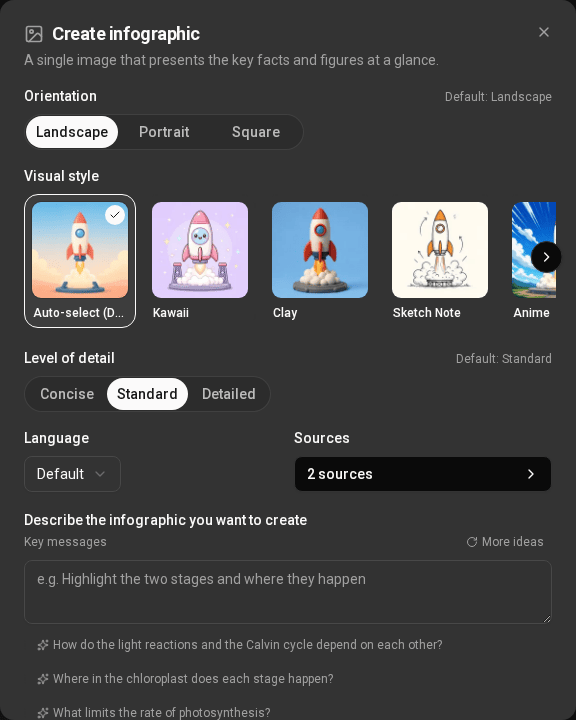
Plus reports, slide decks, infographics and data tables. Studio makes them from the sources you pick.

Any model you like

LiteLLM, Ollama, vLLM, OpenRouter, OpenAI or anything OpenAI-compatible. Run it all locally if you want.

Works with your agents

A built-in MCP server lets Claude, ChatGPT and Cursor search your notebooks with your permission.

Cited, always

Ask. Then check.

Answers come only from your sources, and every claim carries a number you can tap to see the passage behind it.

  • @-mention a source to ask about one paper, not the whole pile.
  • Web research when you want it, added as sources you can read.
  • Notes beside the chat, kept with the notebook and searchable.
An answer about photosynthesis with a numbered citation
An infographic made in Studio
An audio overview with its transcript
On your iPhone

Your notebooks in your pocket.

The Soloclef app connects to your own server. Listen to overviews on the way in, review flashcards on the train, and keep working offline; changes are sent when you're back online.

  • Background audio with lock-screen controls and 0.75–2× speed.
  • Upload from the phone: photos, files and links.
  • Your server, your sign-in: tap Change server and enter its address.
Download on the App Store
Self-hosted

One server.
Yours.

Soloclef runs with Docker Compose on any Linux box. You hold the documents, the accounts and the keys.

Clone and configure

Copy the example settings, set a secret and your email.

Build and start

Two images and docker compose up. Migrations run themselves.

Add a model, invite people

Password sign-in out of the box; add Pocket ID, Authentik or Keycloak if you like.

~/soloclef
$ git clone https://github.com/ifedan-ed/soloclef-notes soloclef
$ cd soloclef && cp docker/.env.example docker/.env
# set SECRET_KEY, DB_PASSWORD, SURFSENSE_PUBLIC_URL,
# BILLING_ADMIN_EMAILS=you@example.com, BILLING_MODE=off

$ docker build -t soloclef-backend-src --target production surfsense_backend
$ docker build -t soloclef-backend-fast custom
$ cd docker && docker compose up -d

$ docker compose exec -it backend \
    python scripts/create_account.py you@example.com --set-password
# open https://notes.your-server.org and sign in
Free, for real

No trial. No plans.
No one to pay.

There is no hosted service to sign up for and nothing to buy. The admin of each server has unlimited use, and can give it to anyone they invite.

Freeto run, with no limits
100%of your data on your server
Apache 2.0open source licence